Cloud Call Center Software UAE: What Businesses Should Know Before Choosing One

Table of contents
1. What Cloud Call Center Software Actually Means
2. Why Businesses in the UAE Are Looking at Cloud Call Center Software
3. The Biggest Mistake Businesses Make When Choosing Cloud Call Center Software
4. 1. Start With Your Current Call Volume
5. 2. Consider Inbound and Outbound Calling
6. 3. Look at IVR and Call Routing
7. 4. Evaluate Call Queues
8. 5. Consider Agent Management
9. 6. Check CRM Integration
10. 7. Think About Call Recording
11. 8. Look at Reporting and Analytics
12. 9. Consider Remote and Hybrid Agents
13. Cloud Call Center vs Business Phone System
14. Where Cloud Call Center Software Can Make Sense
15. What Businesses in the UAE Should Prioritise First
16. What to Ask Before Choosing Cloud Call Center Software UAE
17. Why This Matters for UAE SMB and Mid-Market Businesses
18. How Businesses Can Start With Cloud Call Center Software
19. The Bottom Line
20. Ready to Explore a More Flexible Cloud Call Center Setup?
21. FAQs
For many businesses in the UAE, customer communication is an important part of everyday operations.
Sales teams speak with prospects, customer support teams handle enquiries, and managers need visibility into how calls are being handled across the organisation.
As businesses grow, managing customer calls through traditional phone systems can become increasingly difficult.
Teams may need multiple numbers, different departments, call queues, remote agents, call recording, reporting, CRM integration, and better ways to manage high call volumes.
This is where cloud call center software UAE solutions can become relevant.
A cloud call centre moves much of the communication infrastructure into a cloud-based platform, allowing businesses to manage calls and customer interactions without depending entirely on traditional on-premise call centre infrastructure.
But choosing cloud call center software is not simply about moving calls to the cloud.
Businesses also need to consider call routing, agent management, integrations, reporting, scalability, security, remote work, customer experience, and overall cost.
If your business is evaluating cloud call center software UAE, this guide explains what it means, how it works, what businesses should look for, and how to choose a solution that fits their communication requirements.
What Cloud Call Center Software Actually Means
Cloud call center software is a cloud-based platform that helps businesses manage inbound and outbound customer calls.
Instead of depending on a physical call centre system installed and managed entirely at the business location, the communication platform is delivered through the cloud.
Depending on the solution, businesses may get access to features such as:
Inbound calling
Outbound calling
IVR
Call routing
Call queues
Call recording
Agent management
Call monitoring
Reporting and analytics
CRM integration
Call disposition
Business-hour routing
Remote agent support
The exact features vary between providers.
The important difference is that businesses can manage many communication functions through a centralised software platform rather than relying only on physical telephone infrastructure.
Why Businesses in the UAE Are Looking at Cloud Call Center Software
Customer communication is becoming increasingly complex.
A business may have sales agents in one location, support employees in another, and remote workers operating from home.
Customers may also contact the company through different channels.
At the same time, managers need to understand how calls are performing.
Questions such as these become important:
How many calls are coming in?
How many are being answered?
How many are missed?
Which agents are available?
How long are customers waiting?
Which departments receive the most calls?
How are sales teams performing?
Traditional phone systems may not provide the same level of visibility and flexibility.
A cloud call centre can bring many of these functions into one platform.
The Biggest Mistake Businesses Make When Choosing Cloud Call Center Software
One of the biggest mistakes is choosing a platform based only on its feature list.
A platform may advertise dozens of features, but that does not mean every business needs all of them.
For example, a small sales team may primarily need:
Outbound calling
CRM integration
Call recording
Click-to-call
Basic reporting
A customer support team may need:
IVR
Call queues
Call routing
Agent monitoring
Call recording
Customer history
A larger contact centre may need:
Advanced analytics
Supervisor tools
Workforce capabilities
Automation
Omnichannel communication
The right platform depends on the business's actual requirements.
1. Start With Your Current Call Volume
Before choosing a cloud call center software UAE solution, businesses should understand how many calls they currently handle.
Look at:
Daily inbound calls
Daily outbound calls
Peak calling periods
Average call duration
Number of agents
Number of departments
Missed calls
Abandoned calls
This information helps businesses understand what the platform needs to support.
A business receiving 100 calls per day may have very different requirements from a contact centre handling thousands of interactions.
2. Consider Inbound and Outbound Calling
Not every call centre works in the same way.
Some businesses primarily receive customer support calls.
Others have sales teams making large numbers of outbound calls.
Some organisations do both.
When evaluating cloud call centre software, check whether it supports the calling model your business uses.
For inbound teams, important features may include:
IVR
Call queues
Smart routing
Business-hour routing
Call overflow
For outbound teams, businesses may need:
Click-to-call
Dialling tools
Call lists
Call dispositions
CRM integration
Call reporting
Understanding your calling model helps narrow down the required functionality.
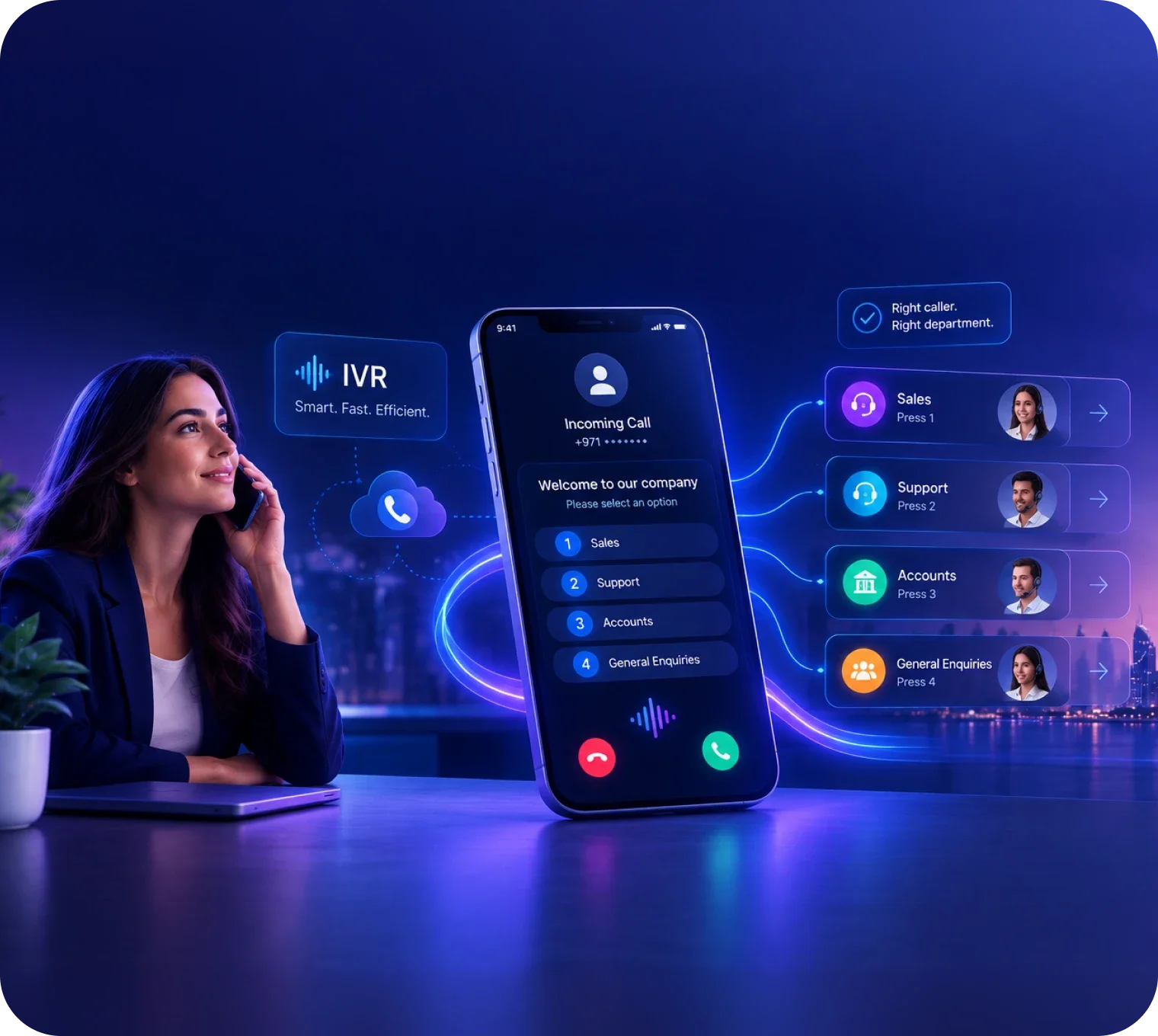
3. Look at IVR and Call Routing
IVR is an important part of many cloud call centre platforms.
It allows businesses to create automated menus that guide callers to the right department.
For example:
Press 1 for Sales
Press 2 for Support
Press 3 for Accounts
Once the customer selects an option, the call can be routed according to predefined rules.
Call routing can also be configured around:
Department
Agent availability
Business hours
Location
Queue
Customer requirements
A good call flow can reduce unnecessary transfers and help customers reach the appropriate team more efficiently.
4. Evaluate Call Queues
Call queues can become important when a business receives more calls than available agents can handle immediately.
Instead of simply returning a busy signal, customers can enter a queue and wait for an available employee.
Businesses may be able to configure:
Queue announcements
Waiting music
Maximum waiting time
Overflow routing
Queue priorities
Estimated waiting messages
For customer support teams, this can create a more organised way to handle periods of high demand.
Businesses should also monitor queue performance to understand where staffing or routing adjustments may be required.
5. Consider Agent Management
A cloud call centre is not only about customer calls.
It also needs to help managers manage agents.
Depending on the platform, managers may be able to see:
Agent availability
Active calls
Call history
Agent activity
Queue status
Call outcomes
Performance information
Supervisors may also have access to features such as call monitoring or coaching tools.
This visibility can help managers understand how their teams are handling customer communication.
6. Check CRM Integration
CRM integration can be one of the most important considerations for sales and customer support teams.
Without integration, employees may need to switch between the phone system and CRM manually.
A connected system can potentially support:
Click-to-call
Automatic call logging
Customer information
Call history
Lead activity
Contact records
Conversation tracking
For example, when an agent receives a call from an existing customer, the CRM may provide relevant customer information depending on the integration.
When comparing cloud call center software UAE, businesses should check whether their existing CRM is supported and what functionality is actually included.
7. Think About Call Recording
Call recording can support several business processes.
Sales managers may use recordings for coaching.
Customer support teams may review conversations to understand service issues.
Businesses may also use recordings for quality management and internal training.
However, call recording also involves data management considerations.
Businesses should understand:
Where recordings are stored
Who can access them
How long they are retained
How access is controlled
What security measures are available
What applicable requirements apply to their business
Recording should be part of a defined process rather than simply being enabled without considering data handling.
8. Look at Reporting and Analytics
Managers need more than a list of completed calls.
They need information that helps them understand customer communication performance.
Useful metrics can include:
Total calls
Answered calls
Missed calls
Abandoned calls
Average waiting time
Average call duration
Agent activity
Queue performance
Call outcomes
Advanced platforms may also provide dashboards and historical reporting.
This can help businesses identify trends.
For example, if call volumes consistently increase during certain hours, managers can review staffing and routing.
Analytics can therefore help turn call data into operational insight.
9. Consider Remote and Hybrid Agents
Modern contact centres do not always operate from one physical office.
Employees may work remotely or across multiple locations.
A cloud-based platform can provide greater flexibility because agents can potentially access business communication through supported applications and devices.
Before choosing a platform, businesses should ask:
Can remote agents receive calls?
Can managers monitor remote agents?
Are the same features available remotely?
How is user access controlled?
How is call quality managed?
What devices are supported?
This can be particularly important for businesses with distributed teams.
Cloud Call Center vs Business Phone System
A business phone system and cloud call centre can overlap, but they are designed for different levels of communication complexity.
A business phone system may provide:
Business numbers
Extensions
Call forwarding
IVR
Voicemail
Basic call management
A cloud call centre generally adds more customer-service and agent-management capabilities.
These may include:
Call queues
Agent management
Call monitoring
Advanced analytics
CRM integration
Supervisor tools
Customer interaction tracking
A small company may only need a business phone system.
A larger sales or support operation may require a full cloud call centre.
Where Cloud Call Center Software Can Make Sense
Cloud call centre software can be useful for several types of businesses.
Sales Teams
Sales teams can use cloud calling, CRM integration, call tracking, and reporting to manage outbound communication.
Customer Support Teams
Support teams can use IVR, queues, routing, recording, and reporting to manage incoming customer calls.
Multi-Location Businesses
Cloud platforms can help connect teams operating across different offices or locations.
Remote Teams
Cloud communication can support employees who are not working from a central office.
Growing Businesses
Businesses expanding their teams can add users and capabilities as requirements change.
What Businesses in the UAE Should Prioritise First
When evaluating cloud call center software UAE, businesses should focus on practical requirements.
1. Reliability
Customer communication should remain dependable during normal and peak periods.
2. Call Management
IVR, queues, routing, and forwarding should support the business's call flows.
3. Agent Visibility
Managers should have enough information to understand agent and queue performance.
4. CRM Integration
The platform should work with the systems sales and support teams already use.
5. Scalability
The solution should support business growth without unnecessary infrastructure complexity.
6. Remote Access
The platform should support the business's working model.
7. Security
Customer information and communication data should be managed appropriately.
8. Cost Transparency
Businesses should understand the complete cost before making a commitment.
What to Ask Before Choosing Cloud Call Center Software UAE
Before selecting a provider, businesses should ask:
How many agents can the platform support?
Can we add users easily?
Does it support UAE business numbers?
Can we keep existing numbers where required?
Does it support IVR and call queues?
Can calls be routed based on business hours?
Does it integrate with our CRM?
Is call recording included?
What analytics are available?
Can remote agents use the platform?
What AI features are available?
What security controls are included?
What support is provided?
What is the total cost?
These questions can help businesses compare platforms according to actual operational requirements.
Why This Matters for UAE SMB and Mid-Market Businesses
For SMB and mid-market businesses, customer communication needs to remain manageable as the organisation grows.
A company may not need a large enterprise infrastructure from the beginning.
But relying on basic phone lines can create limitations as sales and support teams expand.
Cloud call centre software can provide a more flexible middle ground.
Businesses can access professional calling, routing, reporting, and agent-management capabilities without necessarily building a large physical call centre infrastructure.
This can be particularly useful for businesses that are:
Expanding their sales teams
Growing customer support
Adding remote employees
Opening new locations
Increasing call volumes
Moving towards cloud-based operations
How Businesses Can Start With Cloud Call Center Software
A practical implementation can begin with a clear assessment.
Step 1: Identify Current Problems
List the biggest communication challenges.
Step 2: Measure Call Activity
Understand inbound and outbound volumes.
Step 3: Identify Required Features
Decide which capabilities are essential and which are optional.
Step 4: Check Integrations
Confirm whether the platform works with the CRM and business applications already in use.
Step 5: Test the Call Flow
Review IVR, routing, queues, and agent workflows.
Step 6: Evaluate Support
Understand onboarding, training, technical support, and service commitments.
Step 7: Compare Total Cost
Calculate the complete cost based on your actual number of users and requirements.
Step 8: Start With a Practical Deployment
Businesses can begin with the most important teams and expand the platform as requirements grow.
The Bottom Line
Cloud call center software UAE can help businesses create a more flexible and organised approach to customer communication.
Instead of depending entirely on physical call centre infrastructure, businesses can manage calling, routing, queues, agents, reporting, integrations, and other communication functions through a cloud-based platform.
But choosing the right solution requires more than comparing feature lists.
Businesses should consider their call volumes, team structure, CRM requirements, customer channels, remote work model, security needs, scalability, support, and total cost.
For a small organisation, a business phone system may provide enough functionality.
For a growing sales or customer support operation, cloud call centre software can provide additional tools for managing agents, customers, and communication at scale.
The best starting point is to understand the business's current communication challenges and then evaluate which platform can address those requirements without adding unnecessary complexity.
Ready to Explore a More Flexible Cloud Call Center Setup?
Voiger helps businesses modernise customer communication with cloud calling and contact centre solutions designed around real sales and support requirements.
If your business is evaluating cloud call center software UAE, a traditional call centre system, or a move towards modern cloud communication, book a demo with Voiger to explore the right approach for your business.

Frequently asked questions
Everything you need to know about Voiger Voice Platform.
Cloud call centre software is a cloud-based communication platform that helps businesses manage inbound and outbound calls, agents, queues, routing, reporting, and other customer communication functions.
Cloud call center software UAE refers to cloud-based call centre solutions used by businesses in the UAE to manage customer calls and related communication operations.
A traditional call centre may depend heavily on physical infrastructure installed at the business location. A cloud call centre provides much of the communication platform through cloud-based software and can offer more flexible access and scaling.
Yes, many cloud call centre platforms support remote and hybrid agents through supported applications and devices. Businesses should confirm the exact remote-working capabilities with the provider.
Many platforms support CRM integrations. Depending on the platform, this can enable click-to-call, call logging, customer information, and conversation tracking.
Yes. IVR is a common feature of cloud call centre platforms and can help businesses route callers to the appropriate department or team.
It can be. Small businesses may use cloud call centre software when they need features beyond a basic business phone system, particularly as sales or customer support operations grow.
Businesses should consider call volume, IVR, routing, queues, agent management, CRM integration, analytics, security, scalability, remote access, support, and total cost.
Yes. Depending on the platform, outbound teams may have access to features such as click-to-call, call lists, call dispositions, CRM integration, recording, and reporting.
Some platforms provide AI capabilities such as conversation analysis, call summaries, automated quality monitoring, AI voice agents, and agent assistance. Businesses should evaluate AI based on their specific use cases.

Conversational AI UAE: What Businesses Should Know Before Choosing an AI Solution
September 17, 2026

NaaS UAE: What Businesses Should Know Before Choosing Network as a Service
September 10, 2026
IVR System UAE: What Businesses Should Know Before Choosing an IVR Solution
September 3, 2026